Subscription

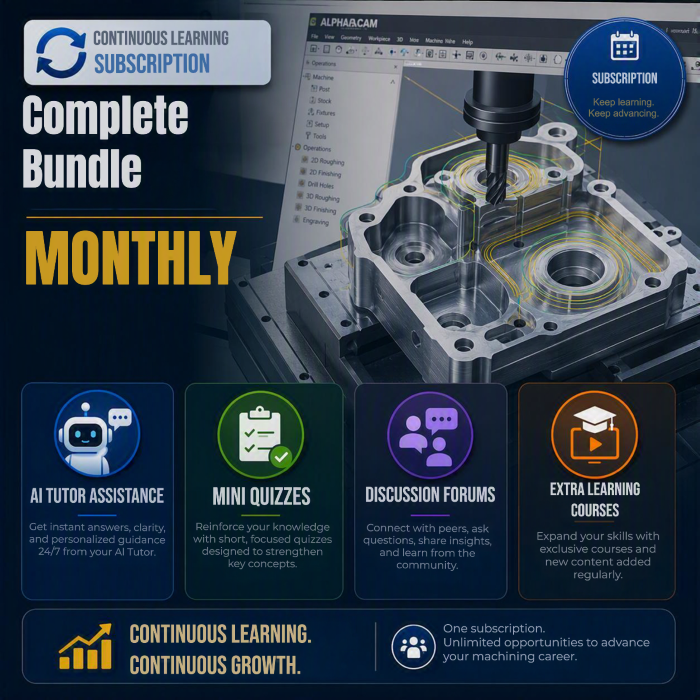
Complete Bundle - Monthly Subscription

  • 1880 mins
  • 11 Courses
  • 0 Enrolled

Overview

What are Subscriptions?

Learning Paths are curated sequences of courses designed to guide learners through a focused learning journey. By grouping related courses, certifications, and modules, our Learning Paths help students build skills systematically. Whether you're advancing your career, exploring a new field, or mastering a specific topic, our Learning Paths provide a clear and engaging pathway to success.

  • Structured learning

    A clear, ordered route through related courses.

  • Industry recognition

    Earn a certificate when you complete the path.

  • Track progress

    See where you are and what's next at any time.

Description

Complete Bundle – This monthly subscription includes content for Designer, Esprit Edge, Edgecam, Radan, Visi and WorkNC products.


Learning doesn’t end when a course or certification is completed. Lasting skill development comes from continuous practice, reinforcement, and collaboration. Through this subscription-based learning experience, you’ll have access to a range of tools that support ongoing growth, including AI Tutor assistance, flashcards, mini quizzes, discussion forums, knowledge reinforcement activities, and additional learning resources.


These features help reinforce key concepts, keep you up to date with evolving technologies, and connect you with a wider learning community.


Prerequisites

No prerequisites are required for this certification.

Courses

1

ESPRIT - DESIGNER for ESPRIT Users

Learn how to get started with DESIGNER, Hexagon's CAD for Manufacturing application. Designed with your ESPRIT experience in mind, this course will show you how you can use DESIGNER as part of your complete manufacturing workflow. 


In this course, you'll learn about:

- The basics of the DESIGNER UI

- Creating geometry with direct modelling tools

- Using DESIGNER to prepare files for ESPRIT

     - Model repair and preparation

     - Fixture design


  • 50 mins
  • 5 Lessons
  • eLearning
2

RADAN - CADCAM Part Removal OD

The Part Removal course is designed to instruct Radan CADCAM users on the features and functionality of the part removal commands.

  • 180 mins
  • 6 Lessons
  • eLearning
3

VISI - Basic CAD Fundamentals

This eLearning course delivers content for beginner VISI users that covers an overview of the application interface and a selection of the most commonly used commands. Users will be introduced to Workplanes, Layers, 2D Drafting and Dimensions, Profiles, Plotview and Query, Surface Techniques, Basic Solid Modelling, Body Diagnostics Tools, and Assembly Manager through a combination of step-by-step examples and independent exercises. Completing all the lessons in this course ensures a basic understanding of how to begin working in VISI and is a gateway to higher level training.


VS-ELCAD-FUND

  • 220 mins
  • 10 Lessons
  • eLearning
4

DESIGNER - Introduction to Macros

Get Started with JavaScript macros within DESIGNER, even if you possess only minimal prior macro knowledge. This short, self-paced course, focuses on empowering you to create your first JavaScript macro, providing practical insights and hands-on guidance.


Additional Information

-        - Requires a basic understanding of DESIGNER

-        - Requires a DESIGNER License

-        - Requires the ability to install software:

o   Microsoft Visual Studio Code

-        - A knowledge of basic JavaScript is recommended but not required

  • 60 mins
  • 1 Lessons
  • eLearning
5

RADAN - DTM2

This course is an introduction to the configuration of automation tools and functions available in the RADAN plug-in DTM2. Lessons in this course discuss the set up for automatic operations, explains the purpose of the various commands, and shows how to use the many features of DTM2 to enhance the experience in the RADAN application.

  • 90 mins
  • 13 Lessons
  • eLearning
6

WORKNC - 3-Axis Basic Fundamentals

Education Objectives 
By the end of this training session, users will be able to: 

  • Open and edit a CAD file to machine it.
  • Create a workzone and manage workzone information.
  • Create and edit the main 3D toolpaths for roughing, finishing and remachining.
  • Understand and define the standard and specific parameters of the main 3D toolpaths.
  • Create the CAM entities required for various toolpaths (Views, Curves, Points).
  • Simulate and edit a toolpath.
  • Generate CN files and HTML documentation for the workzone.
  • Copy a workzone and generate a symmetrical workzone.
  • Users will able to prepare and create a workzone with various toolpath that allow the machining of parts with mainly complex 3D shapes.
  • This training is complementary to W2D FULL and allows users to machine 3D complex shapes.


Target Audience 

  • This training session is intended for new users of WORKNC with machining experience.


Prerequisites  

Required level, experience and skill requirements:

  • Having basic knowledge in Information Technology.
  • Having an activated license for WORKNC and installed version 2025.2 or newer.
  • (Optional: Having an activated license for DESIGNER and installed version 2025.2 or newer.)
  • Having received initial training in CAD/CAM jobs:
    Non-exhaustive examples: Metal Worker, Programmer, NC Operator, etc.
  • Knowledge in milling techniques is recommended.

WNC-ELCAM-FUND

  • 350 mins
  • 16 Lessons
  • eLearning
7

DESIGNER - Part Preparation for Turning

Learn about the latest and greatest features in DESIGNER which can aid CAD preparation for manufacturing.

This training includes:

  • Easy installation procedure for DESIGNER
  • CAD preparation for turning operations
  • Creating a stress relief model
  • Creating staged 2D Drawings for each cutting operation
  • Useful tips and tricks throughout such as:
    • How to work with the structure tree
    • Quickly access last used commands
    • Quick brush selection techniques
    • Compare command
    • Creating a Bill of Materials

  • 30 mins
  • 2 Lessons
  • eLearning
8

EDGECAM - Getting Started - Milling

Milling tutorials for 3 Axis and multiplane machining taking you through the process from loading the CAD model and setup, through to CNC code generation. The videos also provide tips and practical information.

  • 420 mins
  • 16 Lessons
  • eLearning
9

EDGECAM - Getting Started - Turning

This series of 2 Axis turning tutorials are broken down into operational stages in short videos. All the video in each section continue from the previous one they start from the loading and setup of the CAD solid model and continue through the operation process

  • 420 mins
  • 16 Lessons
  • eLearning
10

DESIGNER - Part Preparation for Milling

Learn practical solutions for streamlining your milling workflows, tackling common challenges, and enhancing productivity.
Download and configure tombstone and vice CAD data
Import parts and set up for machining
Generate 2D drawings

  • 0 mins
  • 4 Lessons
  • eLearning
11

DESIGNER - Additive Manufacturing Introduction

A look at the new Additive Manufacturing Workspace in DESIGNER and some of its current and planned commands.

  • 60 mins
  • 1 Lessons
  • eLearning

No resources available for this course yet.

Price $29.99 29.99$ 29.99£ 29.99€ 650₹‎
  • 3 months access
  • Certificate upon completion
  • Hands-on projects
  • 3 months Student license
Sign in to register →